

Most small business hacks aren’t clever. Nobody is cracking your firewall with a hoodie and three monitors. It’s usually a reused password, an unpatched laptop or someone clicking a fake invoice at 4:45 on a Friday. The good news : ten basic habits stop the vast majority of these attacks, and none of them needs a big budget.
Some of these steps are quick, others need a bit of setup, and a few are easier with outside help. If you’d rather have someone look at your machines and network in person, https://depannageinformatiquelemans.fr is an example of the kind of local IT support small teams often rely on. Either way, let’s go through the list, starting with the habits that give you the most protection for the least effort.
1. Use a password manager (and stop reusing passwords)

Honestly, this is the big one. When one website gets breached, attackers take the leaked email and password and try them everywhere else : your email, your accounting software, your bank portal. It’s called credential stuffing, and it works because people reuse passwords.
A password manager creates and stores a long, unique password for every account. Your team only remembers one strong master password. I know, it feels like a hassle at first. After a week, you’ll wonder how you lived without it.
2. Turn on two-factor authentication everywhere it’s offered
A stolen password is useless if the attacker also needs a code from your phone. Start with the accounts that matter most : email, banking, cloud storage, your website admin panel and your social media.
Prefer an authenticator app or a hardware security key over SMS codes when you have the choice. Text messages can be intercepted or redirected through SIM swapping. It’s not common, but it happens. Is every important account in your business protected this way right now ? If not, that’s your first task this week.
3. Keep everything updated

Updates are annoying. They interrupt you, they restart your computer, they always show up at the worst time. But many updates fix security holes that attackers are already using.
Turn on automatic updates for your operating system, your browser, your office software and your router firmware. And watch out for the forgotten devices : that old printer, the shared laptop in the back office, the website plugin you installed three years ago. They’re the ones that get ignored, and so they’re the ones that get breached.
4. Learn to spot phishing emails

Phishing is still the most common way into a small business. The messages look better than ever, with the right logo, a plausible sender name and a believable story : an overdue invoice, a package that couldn’t be delivered, a “security alert” from your bank.
Train yourself and your team to check a few things before clicking :
– Does the sender’s real address match the company it claims to be ?
– Is there pressure to act immediately ?
– Is the link going somewhere else when you hover over it ?
– Were you expecting this message at all ?
If something feels off, don’t click. Call the sender using a number you already have, not the one in the email. Thirty seconds of doubt can save you weeks of cleanup.
5. Back up your data, and test the backup

Ransomware locks your files and demands money to give them back. The best defense is a backup that the attacker can’t reach. A common rule is the 3-2-1 method : three copies of your data, on two different types of storage, with one copy kept offsite or offline.
And here’s the part people skip : test it. A backup you’ve never restored is only a hope. Once or twice a year, try restoring a few files and see if they actually open.
6. Give people only the access they need

Your intern doesn’t need access to the payroll folder. Your bookkeeper doesn’t need admin rights on every computer. The fewer permissions an account has, the less damage an attacker can do when it’s compromised.
Use standard user accounts for daily work and keep admin accounts for admin tasks. When someone leaves the company, close their accounts the same day. I’ve seen former employees keep access to shared tools for months simply because nobody remembered to remove them. It’s more common than you’d think.
7. Secure your Wi-Fi and your router
Change the default admin password on your router. Yes, really. Many routers still ship with credentials that are easy to find online. Use WPA2 or WPA3 encryption and a strong Wi-Fi password.
If customers or visitors use your network, set up a separate guest Wi-Fi. That way, a stranger’s infected phone isn’t sitting on the same network as your accounting computer.
8. Use antivirus and a firewall that you actually keep running

For most small businesses, the built-in protection in a current operating system, such as Microsoft Defender on Windows, is a decent starting point, as long as it’s switched on and updated. Some businesses add a paid endpoint protection tool for centralized management, which can make sense once you have several employees.
What matters most isn’t the brand. It’s that protection is active on every device, including laptops that travel and personal phones used for work.
9. Protect your devices when they leave the office
A laptop left in a taxi or a phone stolen from a café table is a data breach waiting to happen. Turn on disk encryption (BitLocker on Windows, FileVault on Mac) and make sure every device has a screen lock with a PIN or password.
Enable remote locate-and-wipe features too. When the phone is gone, you’ll be glad you did that last month and not tomorrow.
10. Make a simple plan for when things go wrong

Even with good habits, something can still slip through. The difference between a bad day and a disaster is often whether people know what to do.
Write one page. Who do you call first ? Who disconnects the infected computer from the network ? Where are the backups ? Which passwords need changing immediately ? Print it, because you won’t be able to open a digital file if your systems are locked.
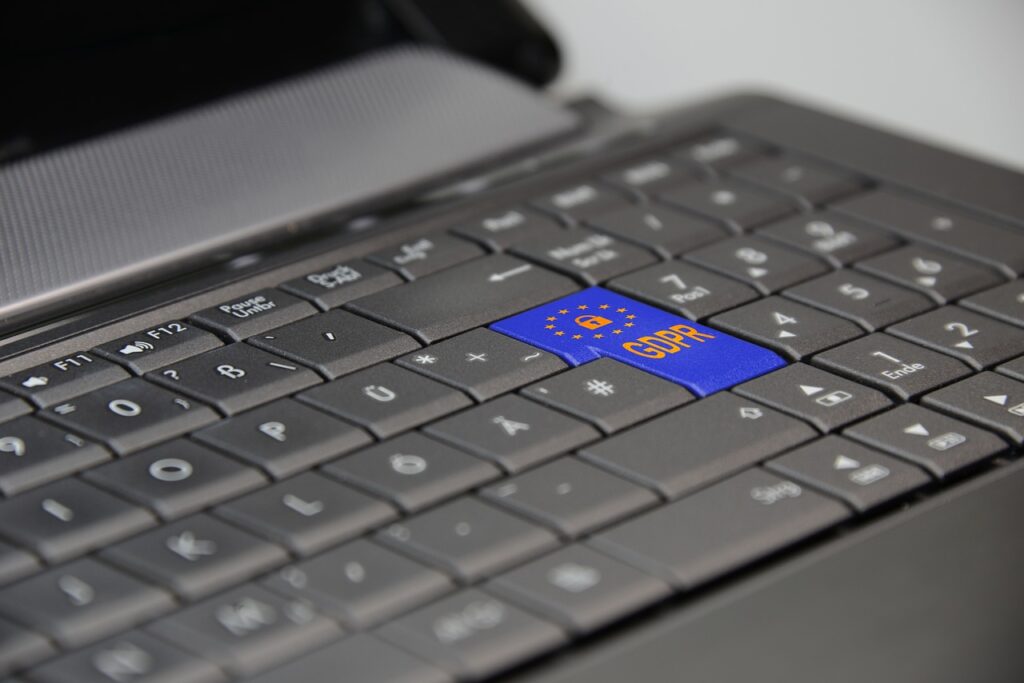
If you handle customer data, find out what your local rules require when a breach happens. In the EU, for instance, GDPR can require you to notify the authorities within 72 hours in some cases. Check the rules that apply to you.
Where should you start ?
Don’t try to do everything this week. That’s the fastest way to do nothing. Start with the first three : a password manager, two-factor authentication and automatic updates. Then add the rest, one habit at a time.
Perfect security doesn’t exist, and anyone telling you otherwise is selling something. But a small business that covers these ten basics is a much harder target than the one next door. And attackers, being lazy by nature, will usually go for the easy one. Which one are you ?